
The Closed Requests page enables you to view all the requests in the system that have closed, whether declined or completed successfully.
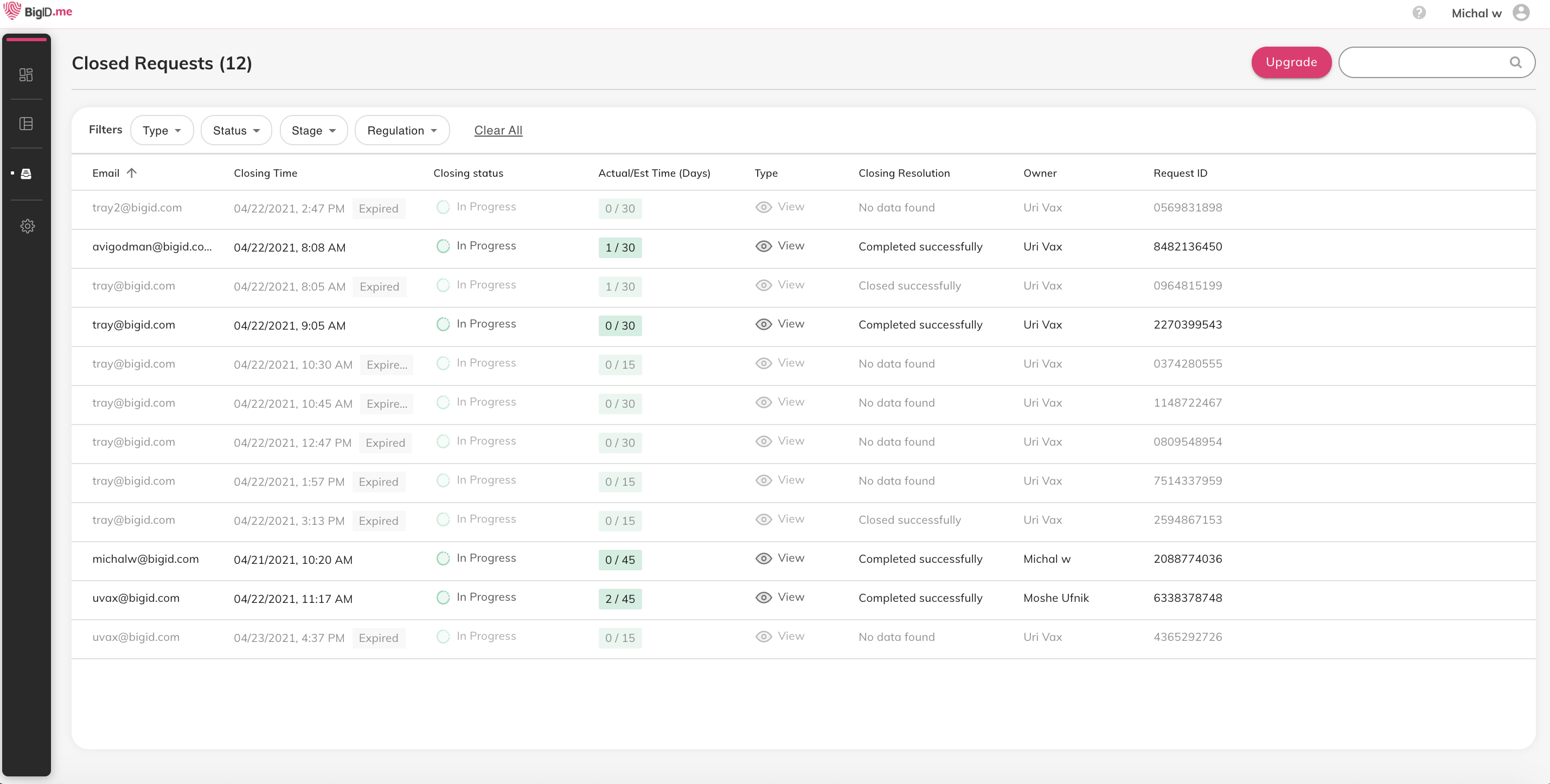
For each closed request, the following information appears:
- Consumer email address
- Closing time
- Closing status
- Actual vs estimated time in days
- Type
- Closing resolution
- Owner
- Request ID
- Regulation
You can filter the Closed Requests list by closing type, status, stage and regulation.
Click each category to open a drop-down list, then select filter criteria. The filter applies OR logic to criteria within a category, and AND logic between categories.
A completed request expires after 30 days. Once the request expires, you can no longer view it, and the information is deleted. Only the request's metadata is saved in the system for tracking purposes.
To view the details of a declined request, click the request row.
Comments
0 comments
Please sign in to leave a comment.